If you’ve ever dug into packet analysis—whether you’re a network engineer, a cybersecurity researcher, or someone just trying to fix weird glitches in your company’s network—you’ve definitely heard the word “dissector” thrown around. But if you’re new to the game, you might be wondering: what’s the big deal between the built-in ones in tools like Wireshark, and the custom ones we build as a dissector vendor? Let’s break this down like we’re hanging out at a network conference coffee table, no stuffy jargon, just real talk from someone who’s spent years building these things. Dissector
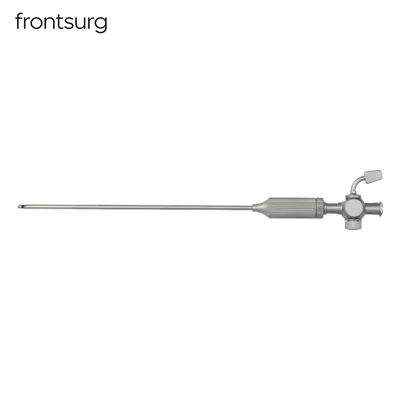
First, let’s make sure we’re all on the same page: a dissector is basically the part of a packet analyzer (like Wireshark, TShark, or our own custom tools) that takes raw binary data flying over the network and turns it into something you can actually read. Instead of seeing a jumble of 0s and 10101s, it labels that data as “HTTP request method: GET”, “TCP source port: 443”, or whatever. Built-in dissectors come right with your tool—you don’t download them, you don’t write code for them. Custom dissectors, though? Those are built to handle protocols or traffic patterns the built-in ones don’t. And as someone who works with dissectors every day, the line between the two is way sharper than you might think.
Let’s start with the big one: who built them, and why. Built-in dissectors are created by the teams that make the packet analyzer itself. For Wireshark, that’s the core Wireshark dev team, a group of volunteer engineers who prioritize the most common protocols: TCP, UDP, HTTP, TLS, DNS, all the big names. They test these dissectors against the official specs of those protocols—RFCs, basically the rulebooks for how a protocol should work—and make sure they work for 99% of people’s use cases. That sounds great, right? For everyday traffic, it is. But here’s the catch: those official specs don’t cover every company’s “custom twist”.
That’s where custom dissectors come in. Let’s say your company uses a proprietary IoT device fleet that talks to a backend server over a network protocol no one else uses—something you built internally to connect your smart thermostats to your building management system. Or maybe you work in fintech, and your payment processor uses a modified version of TLS that tweaks how certificate data is formatted, so the built-in TLS dissector misses 30% of the packets. That’s exactly what a custom dissector is for. As a dissector vendor, that’s the bread and butter of what we do: we work with companies to turn their unique protocols, modified standard protocols, or internal traffic patterns into dissectors that the analyzer can read.
Next up: flexibility vs. standardization. Built-in dissectors are locked into the tool they come with. Wireshark’s built-in dissector for SMB won’t work with another tool like tcpdump, and you can’t tweak it without modifying Wireshark’s source code—something most people don’t want to do, especially if they’re not developers. They’re designed for consistency: if you open a SMB packet in Wireshark anywhere in the world, it’ll look the same. That’s a huge win for troubleshooting standard issues, but it’s a loss if your setup is weird.
Custom dissectors? They’re built for your specific environment. We can make a custom dissector that works with your existing tools—whether you use Wireshark, a custom network monitoring tool, or a cloud-based analyzer. We can tweak it to ignore the random extra byte your team added to every packet, or to flag a specific field that means “this is a test packet” for your QA team. As a vendor, we don’t follow a one-size-fits-all rule: if your protocol has a quirk that no spec mentions, we build the dissector around that quirk, not the other way around.
But here’s the trade-off people always miss: built-in dissectors are maintained, for the most part, automatically. When a protocol gets an update—like TLS 1.3 replacing TLS 1.2—the Wireshark team pushes an update that fixes the dissector, so you don’t have to do anything. They handle bug fixes, security patches, and new protocol versions as they come out, for free, if you’re using an open-source tool. Custom dissectors? They need upkeep. If your company updates its internal protocol, you have to update the dissector too. That’s where we come in: we don’t just build the dissector once, we stick around to maintain it as your network changes. A lot of people think “custom” means you’re on your own, but that’s not how we operate. We’ve had clients whose IoT protocol got an update that added a new sensor reading field, and we updated their dissector in 48 hours so they didn’t miss any data.
Another big difference: visibility and control. Built-in dissectors are black boxes. You can see what fields they’re parsing, but you can’t easily change how they parse them. Let’s say you’re looking at a packet that has a field for “device ID” that the built-in dissector labels as “data”, but you want to rename it “thermostat_serial” so your team can quickly spot it. With a built-in dissector, you’re stuck. With a custom dissector? We can configure it to label exactly what fields you care about, hide the noise that doesn’t matter for your use case, and even add custom rules to flag suspicious packets for your security team. For example, if your fintech company’s custom TLS variant has a field that should always be a number between 1000 and 9999, we can make the custom dissector auto-mark any packets with a number outside that range as “possible tampering” before you even look at the full packet. That’s something built-in dissectors just can’t do—they can only follow the official rules, not your company’s specific security needs.
But let’s be real: built-in dissectors aren’t useless. If you’re just troubleshooting a general internet glitch—like why your YouTube stream keeps buffering—the built-in TCP and HTTP dissectors in Wireshark are perfect. You don’t need a custom dissector for that. The problem comes when your use case is anything outside of the “average” network. We’ve had clients come to us saying “we spent 10 hours trying to troubleshoot a network issue, and Wireshark’s built-in dissector was showing gibberish for our internal protocol”. That’s the gap we fill.
Wait, let’s talk about performance, because that’s a thing people rarely mention. Built-in dissectors are optimized for speed, since they have to handle millions of packets at once for all users. They’re written in C or Lua, and they’re tested to be as efficient as possible. Custom dissectors can be just as fast, but if you build them wrong, they can slow down your packet analysis. But as a vendor, we build them for performance too—we test them against your network’s average packet rate, make sure they don’t crash when they see a malformed packet, and optimize them so you don’t notice any slowdown. We’ve had a client who was processing 100,000 packets per second from their factory floor, and their first custom dissector (built in-house) was dropping 20% of packets because it was too slow. We rebuilt it, and now it processes all packets without skipping a beat. That’s another big difference: custom dissectors are built for your scale, not the average scale of all Wireshark users.
Let me throw in a quick real-world example to make this concrete. A few years back, we worked with a logistics company that used a proprietary protocol for their GPS trackers to send location data from their trucks to their headquarters. Their first time using Wireshark, the built-in TCP dissector would show the packets as just “TCP data” with no breakdown, and the company’s engineers couldn’t tell if the problem was a tracker sending bad data or a network drop. We built a custom dissector that parsed the GPS coordinates, truck ID, timestamp, and battery level fields from the raw packets, labeled each one clearly, and added a rule to alert them if a tracker’s battery dropped below 10%. That cut their troubleshooting time for GPS issues from 4 hours to 10 minutes. If they’d tried to use the built-in dissector, they never would have gotten that visibility.
Now, let’s clear up a common myth: a lot of people think “custom dissectors are only for big companies with weird protocols”. Nope. We’ve worked with small startups that built their own internal API and needed a custom dissector to test it, and even a school district that used a custom protocol for their student attendance badges that run over the school’s network. For them, the built-in HTTP dissector just saw a blob of data, but our custom dissector let them track how many badges were active, which ones weren’t, and spot if a badge was being used outside of school hours. It doesn’t have to be a multi-million dollar company to need this.
So let’s wrap this up, because I know I’ve thrown a lot at you. Built-in dissectors are the default, free, standard-issue tools that come with your packet analyzer. They work great for common protocols, are maintained automatically, and are consistent across users. Custom dissectors are built specifically for your unique protocols, your workflow, your scale, and your specific needs. They take a bit more work upfront, and you have to maintain them as your setup changes, but they give you visibility and control that built-in dissectors can’t touch.
Here’s the thing: if you’re someone who’s happy troubleshooting standard internet issues, stick with built-in dissectors. But if you’re staring at raw packets that make no sense, wasting hours trying to find a needle in a haystack, or needing to flag specific traffic for your team, that’s when a custom dissector makes all the difference.
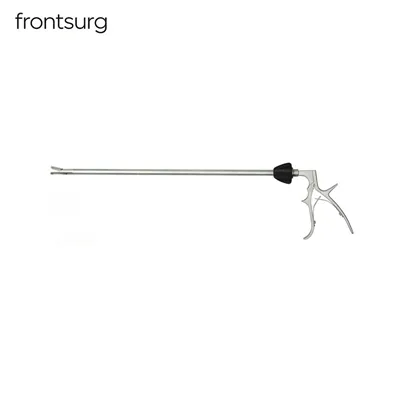
If you’re tired of fighting with built-in dissectors that don’t get your setup, let’s chat. We can walk through your network, figure out what you need, and build a dissector that works for you, no one-size-fits-all junk, no jargon, just a tool that actually helps you do your job.
Disposable Monopolar Instruments References
- Wireshark Documentation: Dissectors (2024)
- Internet Engineering Task Force (IETF) RFC 793: Transmission Control Protocol (1981)
- Cisco: Packet Dissection Best Practices (2023)
- Network Computing: Custom Dissectors for Enterprise Networks (2022)
- Open Source Security Foundation (OpenSSF): Dissector Security Guidelines (2024)
Frontmed (Hangzhou) Trading Co., Ltd.
Frontmed (Hangzhou) Trading Co., Ltd. is one of the most experienced dissector manufacturers and suppliers in China, also supports custom service. Please rest assured to wholesale high quality dissector made in China here from our factory. Contact us for more details.
Address: Room 406, Building 6, No.1688 Chunjiang East Rd, Tonglu, 311500, Hangzhou
E-mail: alex@frontsurg.com
WebSite: https://www.frontsurg.com/
